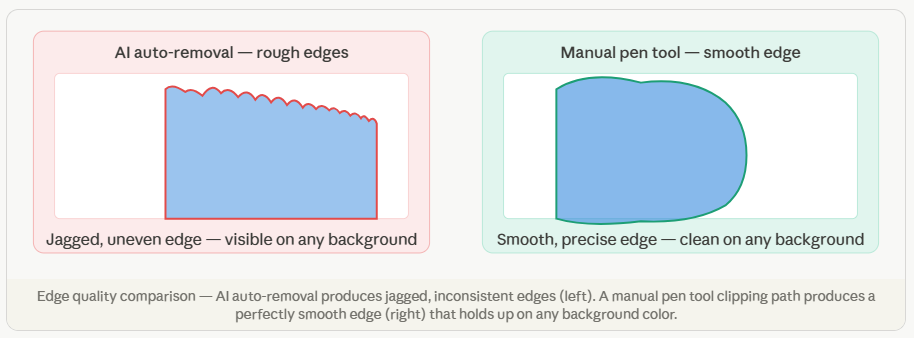
If you sell products online or work in photography, you have almost certainly needed a clean cutout of a product on a white background. The professional technique behind that result is called a clipping path. This guide explains exactly what a clipping path is, how it works, and when your business needs one.
What exactly is a clipping path?
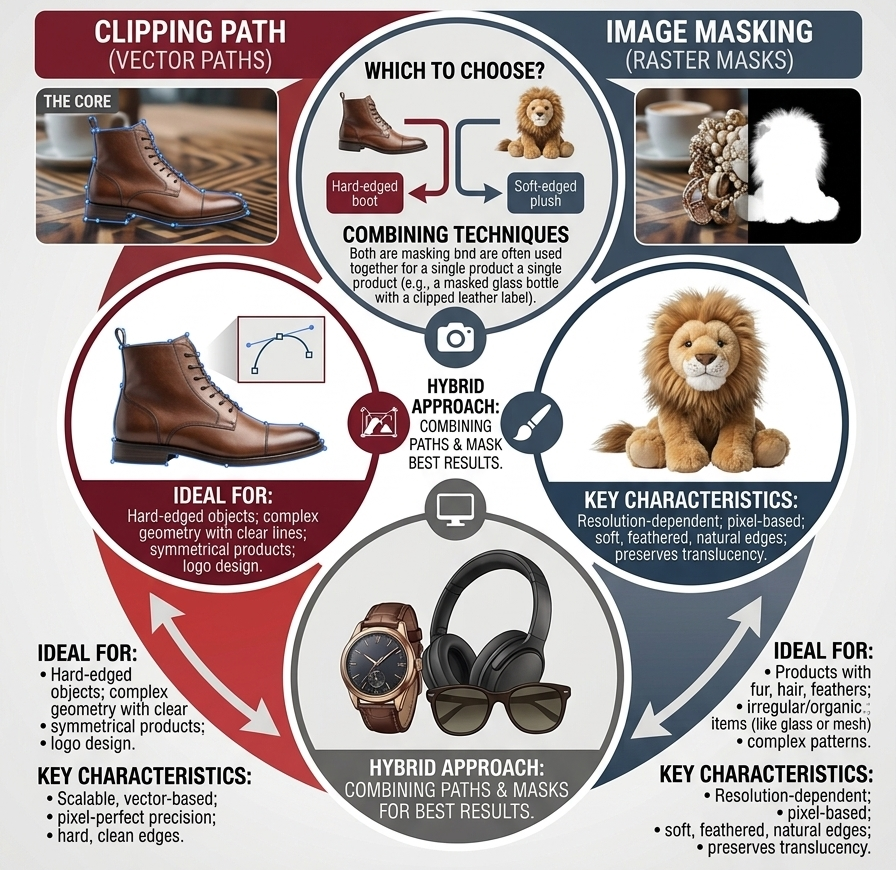
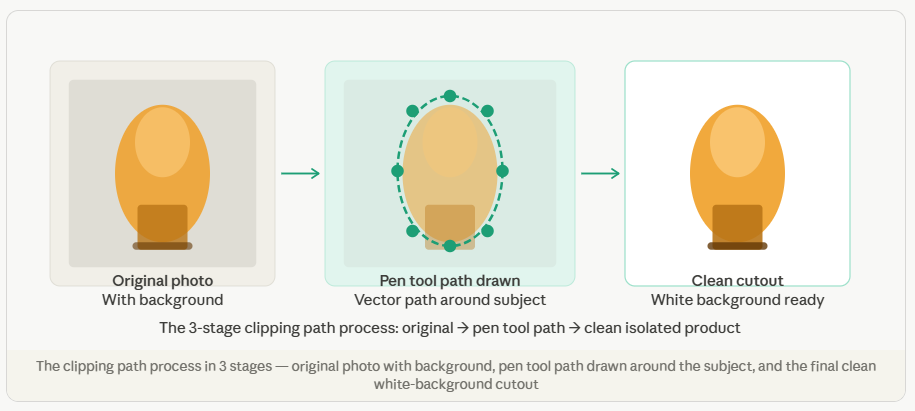
A clipping path is a closed vector shape drawn around a subject in a photograph using Adobe Photoshop’s Pen Tool. The path defines a boundary: everything inside the path is kept, and everything outside is removed. The result is a cleanly isolated subject — a product, an object, or a person — that can be placed on any background without unwanted edges, halos, or remnants of the original setting.
The term “clipping path” comes from the concept of “clipping” the image to a defined shape — like cutting around a subject with scissors, but with pixel-level precision. Unlike scissors, a digital clipping path produces a perfectly smooth, scalable vector outline that works at any resolution and any print or screen size.
When does your business need a clipping path?
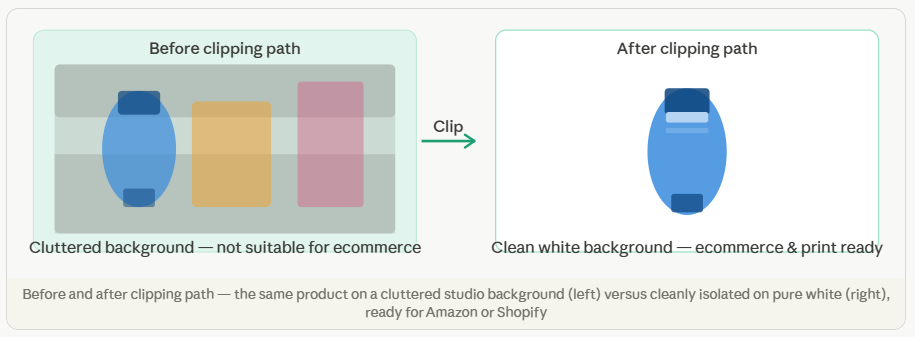
Clipping paths are needed any time you want to isolate a product from its background — whether to place it on white for an ecommerce listing, remove a distracting studio backdrop, or combine it into a composite image for advertising. Common use cases include:
Amazon and marketplace listings requiring pure white backgrounds
Product catalog images for print brochures and lookbooks
Ecommerce product pages on Shopify, WooCommerce, or Etsy
Advertising composites where the product is placed on a new background
Packaging and point-of-sale display design
Magazine and newspaper product photography
Why is a manual clipping path better than automated background removal?
AI-powered background removal tools like Remove.bg or Photoshop’s Quick Selection work quickly but produce inconsistent results — especially on products with complex shapes, reflective surfaces, fine details, or edges that are similar in color to the background. They leave rough edges, remove parts of the product, or retain fragments of the original background.
A manual Photoshop pen tool path, drawn by a trained specialist, produces a smooth, precise edge every single time. The result holds up at any zoom level, any print size, and on any background color — because the path was drawn deliberately, not generated by an algorithm guessing at boundaries.
Pro tip
Always send your highest-resolution original image for clipping path work. The more pixels our editor has to work with, the more precise the path and the cleaner the final edge. A compressed JPG from a website gives us far less to work with than the original RAW or TIFF from the camera.
Need professional clipping path work?
Send 2 images for a free trial — clean edges guaranteed.